Bumper fit was perfect. Shipping was strapped and wrapped with no damage.
perfect! no problems fit my 2019 looks great!
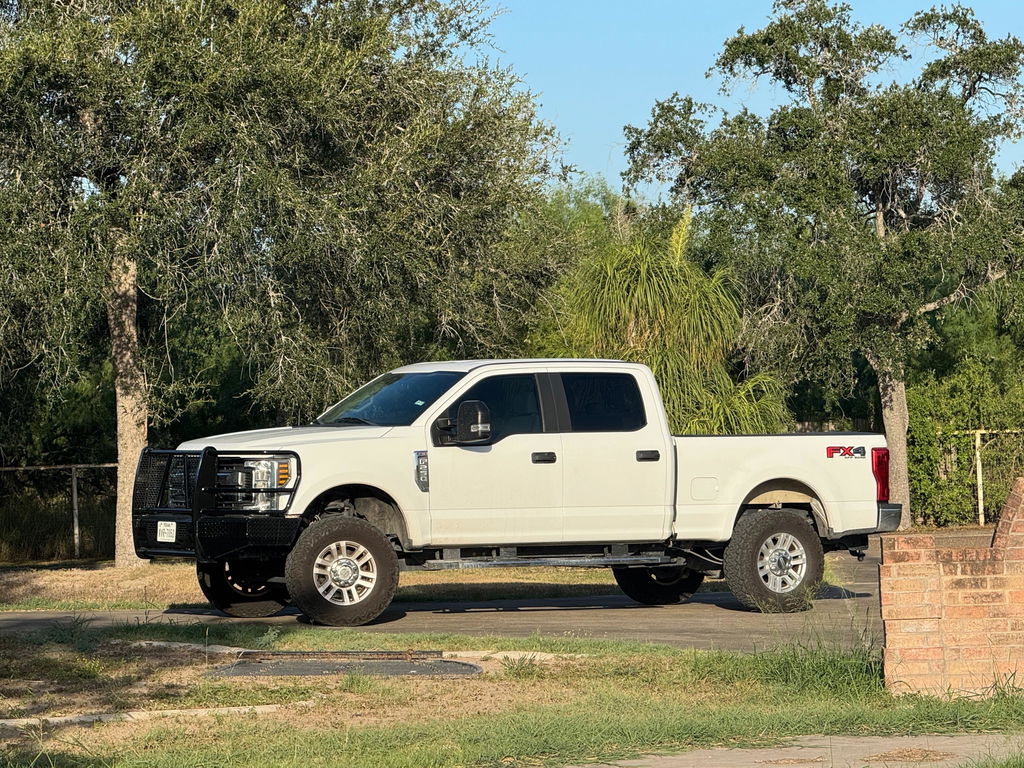
Glad everything fit perfectly! Thanks for choosing us!
Karen M.
Insanely fast shipping and delivery. I ordered at 2pm on a Wednesday and the ranch hand was delivered to my driveway by lunch time taht Friday. I was mind blown.
Jeffrey,
Thank you for your awesome feedback! Glad your Ranch Hand bumper arrived quickly. Thanks for choosing BumperOnly!
Karen M.
It makes my white Ford pickup, out standing. I have them on 2 other vehicles also. And in the area we live they are a protection device, with elk and deer crossing roads. I will refer you'r company.
Dusty,
Thank you for your support! Glad you love how they look on your vehicles and appreciate you recommending us to others. Drive safe!
Karen M.
I love it it was a little bit heavy, needed. A ceiling winch to mount it very happy with my purchase. And it looks great.
David,
Thank you for your review! Glad you’re happy with your purchase.
Karen M.